
FBR Digital Invoicing in Pakistan: The Complete 2026 Guide for Businesses
Who must integrate with FBR e-invoicing, the deadlines and penalties, how PRAL and licensed integrators work, and what your software needs — explained simply.

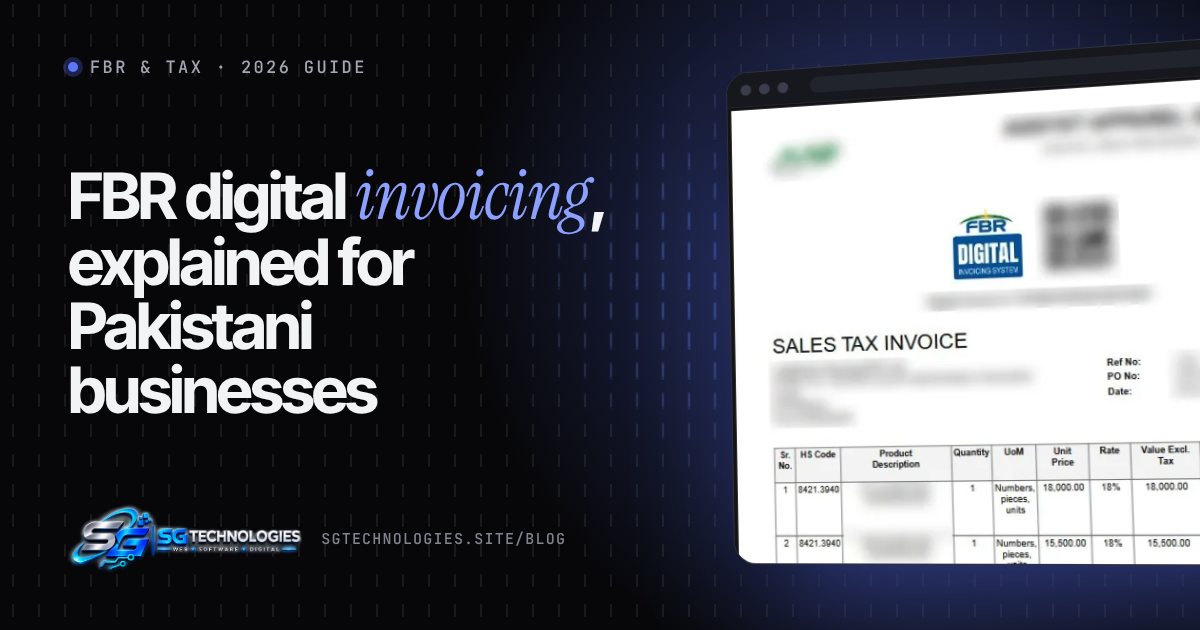
Quick answer: FBR digital invoicing (e-invoicing) means every sales tax invoice you issue is sent to the Federal Board of Revenue's system in real time. FBR checks it and returns a unique FBR invoice number and QR code, which must appear on the invoice. Under SRO 1413(I)/2025 and the revised schedule in SRO 1852(I)/2025, all sales tax registered persons were required to integrate by the end of 2025, either through PRAL (free) or another licensed integrator. Businesses that haven't integrated face penalties, and their buyers may lose input tax claims.
This guide explains — in plain language — what the rules say, who they apply to, how integration actually works, and what your invoicing software must be able to do. It's written for business owners, finance teams and IT managers in Pakistan.
Last reviewed: 6 November 2026. FBR rules change often — always confirm the latest SROs and general orders on fbr.gov.pk or with your tax advisor.
What is FBR digital invoicing?
Under Sections 23(5) and 23(6) of the Sales Tax Act, 1990, FBR can require registered persons to connect their invoicing systems to its computerised system so that sales are reported in real time (ProPakistani).
In practice it works like this:
- Your software (ERP, accounting system or custom app) creates a sales tax invoice.
- The invoice data is sent to FBR's digital invoicing system through an approved integration.
- FBR validates it and returns a unique invoice number.
- The approved invoice carries that number, a QR code and the FBR digital invoicing logo.
- Your buyer can see the approved invoice on FBR's portal and use it to claim input tax (Express Tribune).
The goal is simple: stop fake and unverifiable invoices, and give FBR a live view of sales.
Who must comply?
Digital invoicing started with specific sectors, was extended to corporate and non-corporate registered persons in April 2025 (EY), and from 1 August 2025 FBR made integration mandatory for all sales tax registered persons in phases through SRO 1413(I)/2025 (Dawn).
FBR then revised the timeline in SRO 1852(I)/2025 (Dawn):
| Who | Register by | Testing by | Issue e-invoices from |
|---|---|---|---|
| Public companies and all importers | 15 Oct 2025 | 25 Oct 2025 | 1 Nov 2025 |
| Companies with turnover above Rs1bn | 15 Oct 2025 | 25 Oct 2025 | 1 Nov 2025 |
| Individuals and AOPs with turnover above Rs100m | 10 Oct 2025 | 25 Oct 2025 | 1 Nov 2025 |
| Companies with turnover Rs100m–Rs1bn | 25 Oct 2025 | 31 Oct 2025 | 15 Nov 2025 |
| Companies with turnover up to Rs100m | 15 Nov 2025 | 25 Nov 2025 | 1 Dec 2025 |
| All other registered persons | 10 Dec 2025 | 25 Dec 2025 | 31 Dec 2025 |
Turnover is measured from your sales tax returns for the last 12 months. In short: if you are registered for sales tax, the deadline for your category has passed and you should already be issuing digital invoices.
What happens if you don't integrate?
- Penalties. Reporting by Profit describes an initial penalty of Rs500,000 for registered persons who haven't integrated, rising to Rs1 million, Rs2 million and Rs3 million for later violations (Profit). FBR also announced enforcement against non-compliant companies from January 2026 (Profit).
- Your customers lose out. Invoices issued outside the system after the deadline may not be accepted for input tax adjustment by your buyers — which quickly becomes a reason for them to stop buying from you.
- Enforcement action. FBR has sealed business premises that failed to integrate (Dawn).
The 2026 update: multiple integrators and a 72-hour correction window
Sales Tax General Order No. 01 of 2026 (IR Operations) made two practical changes (Profit):
- More than one licensed integrator. A business can now use one or more licensed integrators where needed — useful if you have several branches, systems or sales channels.
- 72-hour corrections. A valid digital invoice issued by a genuine (bona fide) mistake can be cancelled, deleted or edited within 72 hours through FBR's system. After 72 hours you need prior approval from your Commissioner Inland Revenue.
Your software should be built around these rules: allow controlled corrections within the window, and lock invoices after it.
How to integrate: PRAL vs other licensed integrators
You have two broad options:
- API integration — your own software sends invoices to FBR automatically. Best for any business issuing more than a handful of invoices.
- Manual invoice generation — invoices are entered directly on the FBR portal. Workable only for very low volumes.
For API integration you choose a licensed integrator:
- PRAL (Pakistan Revenue Automation Limited) — FBR's own IT company. Its integration service is free and includes sandbox testing (FBR/PRAL user manual).
- Private licensed integrators — for example Haball, WebDNAWorks and EY Ford Rhodes have been named in press reports (Express Tribune). They may charge a fee and offer extra support.
Whichever you choose, your software still needs to produce correct invoice data — the integrator only carries it to FBR.
Step-by-step: going live with PRAL
Based on PRAL's digital invoicing user manual:
- Log in to IRIS with your registration number and password and open Digital Invoicing.
- Choose the integration mode — API integration or manual invoice generation.
- Select your licensed integrator (e.g. PRAL).
- Fill in technical details — contact person, your ERP/software provider, software type and version, business nature and sector.
- Submit IP addresses for whitelisting (one to three IPs). PRAL usually responds within about two working hours.
- Test in the sandbox. Submit test invoices for every scenario that applies to your business (each scenario is a code such as SN001). Each scenario needs at least one successful invoice.
- Get your production token. Once all required scenarios pass, a production security token is issued.
- Go live. Switch your software to the production endpoint and start transmitting invoices in real time.
What your invoicing software must be able to do
This is where most integrations go wrong. A compliant system should:
- Validate data before sending — seller and buyer NTN/CNIC, registration status, province, HS codes, units of measure, tax rates and the correct sale type/scenario.
- Calculate tax on the server, not just in the browser, so totals can't be tampered with.
- Send the invoice in real time and store FBR's response — the FBR invoice number and status.
- Handle failures safely. The PRAL system doesn't retry failed uploads automatically, so your software must queue and resubmit invoices after a connection drop — without creating duplicates.
- Print the FBR invoice number, QR code and logo on every invoice and PDF.
- Lock validated invoices and support corrections only within the 72-hour rule, with an audit trail.
- Support debit and credit notes, drafts and rejected-invoice queues.
- Reconcile what you issued with what FBR accepted, and make return filing easier.
Common mistakes to avoid
- Waiting for the integrator to "do everything." The integrator connects you; your system must still send correct data.
- Wrong HS codes or sale types, which cause rejections or wrong tax.
- No retry queue — invoices silently missing from FBR after an internet outage.
- Editing invoices after FBR approval outside the allowed process.
- Skipping sandbox scenarios that apply to your business, which delays the production token.
How SG Technologies can help
We built and operate an FBR digital invoicing platform connected to FBR in production — invoice creation, real-time submission, validation tracking, drafts, debit/credit notes, customers, products, inventory and reports. Read the FBR digital invoicing case study, or tell us about your setup and we'll explain the fastest route to compliance for your business.
Frequently asked questions
Is FBR digital invoicing mandatory for my business?
If you are registered for sales tax in Pakistan, yes. SRO 1413(I)/2025 made integration mandatory for all sales tax registered persons, and the revised deadlines in SRO 1852(I)/2025 ran from November to 31 December 2025 depending on your category.
Is PRAL integration free?
Yes. PRAL, FBR's own IT company, offers its licensed integrator service free of charge, including sandbox testing. Private integrators may charge fees.
Can I edit or cancel a digital invoice after it is issued?
Only for genuine mistakes and only within 72 hours, through FBR's system, under Sales Tax General Order No. 01 of 2026. After 72 hours you need prior approval from your Commissioner Inland Revenue.
Can my buyer check whether my invoice is real?
Yes. Every approved digital invoice has a unique FBR invoice number and QR code, and buyers can view approved invoices on FBR's portal to claim input tax.
Can I keep my current accounting software?
Usually yes, if it can be connected through a licensed integrator's API and can produce all the required invoice data. If it can't, a custom integration layer or a purpose-built invoicing system is needed.
Sources
- Dawn — FBR makes e-invoicing mandatory from Aug 1 (SRO 1413)
- Dawn — Revised e-invoicing deadlines (SRO 1852)
- EY — Pakistan extends e-invoicing to corporate and non-corporate registered persons
- Profit — Penalties for non-compliance with digital invoicing
- Profit — Sales Tax General Order 01 of 2026: multiple integrators
- ProPakistani — 72-hour invoice correction window
- FBR / PRAL — Digital Invoicing User Manual v1.5
- Express Tribune — FBR rolls out digital invoicing
This article is general information, not tax or legal advice. Rules and deadlines can change — check the latest FBR notifications or consult a qualified tax advisor for your situation.
Related articles
How Much Does a Business Website Cost in Pakistan? (2026 Guide)
What really decides the price of a business website or web app in Pakistan — pages, design, features, content and hosting — with real package examples and hidden costs to check.
Read article
HR & Payroll Software in Pakistan: What to Look For in 2026
The modules, Pakistani compliance points (salary tax, EOBI, social security) and questions to ask before you buy or build HR and payroll software.
Read article
Case Study: Building a Complete HR Management System for an Apparel Manufacturer
How SG Technologies built one HR platform for an apparel manufacturer — attendance, leave, payroll, loans, self-service, analytics and multi-company support.
Read article